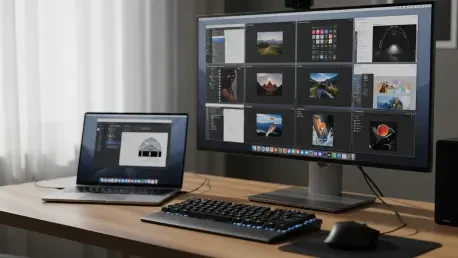

While the macOS ecosystem is frequently praised for its meticulous attention to detail and aesthetically pleasing user interface, many seasoned professionals find that Apple’s rigid design philosophy often creates significant barriers to peak productivity. The standard desktop environment is intentionally streamlined to cater to a broad consumer base, but this simplicity frequently comes at the cost of the granular control required for specialized or high-volume workflows. Free and Open-Source Software (FOSS) has emerged as the critical bridge between these default limitations and the sophisticated requirements of power users. By offering transparent, community-vetted tools, the open-source movement allows individuals to dismantle the “one-size-fits-all” experience and rebuild it into a precision-engineered workstation. These utilities do not merely add superficial features; they fundamentally alter how the hardware and software interact, providing a level of adaptability that was once reserved only for alternative operating systems.
The psychological and practical value of open-source software on the Mac cannot be overstated, particularly regarding the inherent trust and security provided by public codebases. In an era where proprietary software often hides invasive telemetry and restrictive licensing models, the transparency of projects hosted on platforms like GitHub offers a refreshing alternative for privacy-conscious users. Because the source code is available for anyone to inspect, the community can identify and patch vulnerabilities much faster than a traditional corporate support structure might. This collaborative environment fosters rapid innovation, as developers are free to build upon existing foundations to solve hyper-specific problems that Apple might consider too niche for a general update. Consequently, the Mac experience is transformed from a static, locked-down product into a dynamic, evolving platform that reflects the actual needs of its most demanding users.
Redefining Desktop Efficiency through Modular Interface Tools
The visual management of a workspace is often the first point of friction for users who rely on dozens of active applications to manage their daily responsibilities. Modern versions of macOS have introduced features like the “notch” on MacBook displays, which, while housing necessary hardware, has inadvertently reduced the available space for menu bar icons. Hidden Bar serves as a vital open-source solution to this modern design challenge by allowing users to create a customizable, collapsible section within the menu bar. By utilizing a simple divider, users can hide secondary background processes and status monitors, ensuring that only the most critical information remains visible. This minimalist approach reduces visual clutter and prevents the “icon overflow” that can obscure important system menus, providing a cleaner aesthetic that mirrors Apple’s own design goals but with the added flexibility of user-defined priority levels.
Beyond the menu bar, the way windows are organized on the screen remains a point of contention for many users who have migrated from alternative desktop environments. While macOS has historically relied on a more fluid, overlapping window philosophy, many professionals require the strict organization provided by grid-based tiling. Rectangle addresses this void by implementing a comprehensive snapping system that allows users to move and resize windows into halves, thirds, or quarters using intuitive keyboard shortcuts or edge-snapping gestures. For those working on high-resolution external monitors, this capability is transformative, as it allows for the instantaneous arrangement of research browsers, terminal windows, and communication platforms in a perfectly aligned layout. This level of organization minimizes the time spent manually dragging window corners, allowing the user to maintain focus on the actual content of their work rather than the management of the interface itself.
Furthermore, the native application switching mechanism in macOS often feels insufficient when managing multiple documents within the same software suite. The standard Command-Tab shortcut focuses on application icons rather than individual windows, which forces users to take extra steps to locate a specific spreadsheet or browser window among several open instances. AltTab provides a much-needed upgrade to this workflow by introducing a Windows-style switcher that displays live, high-quality thumbnail previews of every active window across the entire system. This utility allows users to close, minimize, or bring specific windows to the foreground directly from the switcher interface, significantly reducing the cognitive load required to navigate complex projects. By refining these basic navigation elements, open-source developers have successfully turned the macOS interface into a more responsive and logically structured environment for high-stakes multitasking.
Bridging the Gap in Human-Computer Interaction
Apple’s hardware design often assumes a specific type of user interaction, most notably through the high-precision Magic Trackpad, which can lead to a disjointed experience when using third-party peripherals. A common frustration occurs when a traditional scroll-wheel mouse is connected to a Mac, as the system-wide “Natural Scrolling” setting—which is intuitive for touch surfaces—feels inherently backwards on a physical wheel. Mos is an essential open-source utility that corrects this discrepancy by allowing users to decouple the scroll direction of the mouse from that of the trackpad. In addition to reversing the direction, it applies sophisticated interpolation algorithms to smooth out the “notchy” feel of standard mouse wheels, bringing the fluid, momentum-based scrolling of the trackpad to any generic USB or Bluetooth mouse. This level of customization ensures that the user’s tactile experience remains consistent regardless of the hardware they choose to employ.
The evolution of interaction also extends to how users input text and data, with artificial intelligence now playing a central role in day-to-day productivity. However, the use of cloud-based dictation services often raises significant privacy concerns, as voice data is frequently transmitted to external servers for processing. Handy addresses this by utilizing advanced local AI models, such as OpenAI’s Whisper and Nvidia Parakeet, to perform high-accuracy speech-to-text transcription directly on the Mac’s hardware. By triggering the dictation through a simple keyboard shortcut, users can instantly convert spoken thoughts into text within any active application without their voice ever leaving the machine. This on-device processing not only protects sensitive information but also eliminates the latency associated with internet-dependent services, providing a faster and more reliable way to handle long-form writing or rapid-fire communications.
This focus on local processing and specialized input control demonstrates the community’s commitment to making the Mac a more inclusive platform for various hardware and accessibility needs. By providing tools that allow for per-app scrolling exceptions or localized AI transcription, open-source developers ensure that the operating system adapts to the user, rather than forcing the user to adapt to the operating system. These improvements may seem minor in isolation, but collectively they remove the subtle layers of friction that can accumulate over a workday. The result is a more seamless and intuitive connection between the user’s physical actions and the digital response, allowing for a creative flow that is not interrupted by technical mismatched settings or privacy-related hesitations.
The Modern Approach to System Longevity and Maintenance
Maintaining a high-performance computer requires more than just occasional reboots; it demands a proactive approach to software management and system hygiene. For developers and technical enthusiasts, the manual process of downloading, dragging, and dropping applications is inefficient and prone to version fragmentation. Homebrew has established itself as the definitive solution for this problem, acting as a powerful package manager that operates through the Terminal to automate the installation and update processes. By centralizing the management of hundreds of utilities and libraries, Homebrew allows users to keep their entire software stack current with a single command. This systematic approach to maintenance ensures that the Mac remains a reliable tool for professional development, as it handles complex dependencies and environment configurations with a level of precision that a graphical interface simply cannot match.
While Homebrew excels at managing command-line tools and technical software, many users also struggle with the fragmented update cycles of traditional desktop applications. Not every piece of software is distributed through the official Mac App Store, leading to a situation where users must manually check for updates across dozens of different websites or individual app menus. Latest simplifies this fragmented landscape by scanning the local Applications folder and comparing version numbers against multiple update frameworks. It provides a unified dashboard where users can view detailed release notes and initiate updates for a wide variety of software in one go. This centralized oversight is crucial for maintaining system security, as it ensures that critical patches for third-party tools are not overlooked simply because an app was not currently running or checked for updates.
Deep cleaning the system after removing unwanted software is another area where macOS lacks a robust native solution, as dragging an app to the Trash often leaves behind a trail of hidden support files. These orphaned caches, preference files, and library folders can consume gigabytes of storage over time and potentially interfere with future installations. PearCleaner offers a thorough, open-source alternative for uninstallation by performing an exhaustive scan of the entire file system to identify every document associated with a targeted application. Users are given full control to review and select which files should be purged, ensuring that important project data is preserved while the actual application “rot” is removed. This level of maintenance is essential for preserving the speed and storage capacity of the Mac, especially for those working with the limited SSD sizes found in many modern laptop configurations.
Breaking Connectivity Barriers with Cross-Platform Utility
In an increasingly heterogeneous tech environment, the ability to move data between different operating systems without friction is a necessity that Apple’s “walled garden” does not always prioritize. While AirDrop is an exceptionally convenient feature for those fully invested in the Apple ecosystem, it becomes entirely non-functional when a user needs to send a file to a colleague with a Windows laptop or an Android smartphone. LocalSend addresses this significant limitation by providing a secure, open-source file-sharing protocol that works across all major platforms over a local Wi-Fi network. By utilizing HTTPS encryption and requiring no account registration, it offers an AirDrop-like experience that respects user privacy and circumvents the need for slow cloud-based transfers or physical USB drives. This cross-platform interoperability is vital for modern workflows that often span multiple devices and operating systems.
The challenge of hardware integration also extends to the use of external displays, where macOS often restricts the ability to control basic settings like brightness or volume using the Mac’s native keyboard keys. This forced reliance on the clunky, physical buttons of a third-party monitor can be a significant annoyance for those who frequently switch between a laptop screen and a desktop setup. MonitorControl solves this problem by utilizing the DDC/CI protocol to send digital commands directly to the monitor’s hardware from within the operating system. This allows the user to adjust the external screen’s settings as if it were a native Apple display, creating a cohesive visual experience that unifies the internal and external hardware. The ability to sync brightness levels across multiple screens with a single keystroke is a small but powerful example of how open-source software can refine the physical workspace.
Media playback is another area where open-source innovation has consistently outperformed native solutions in terms of versatility and format support. While QuickTime offers a sleek interface, its limited compatibility with various video codecs often forces users to seek third-party alternatives that may not feel at home on macOS. IINA serves as the perfect synthesis of a powerful open-source playback engine and a design language that is native to the Mac. It supports nearly every existing file format and includes modern features like Picture-in-Picture, Dark Mode, and customizable mouse gestures, all while leveraging Apple’s hardware acceleration for efficient 4K playback. By prioritizing both technical capability and aesthetic integration, IINA demonstrates that open-source software can be just as polished as proprietary applications while offering significantly more functional depth.
Building a Personalized Ecosystem through Community Trust
The enduring success of open-source software on the Mac is a direct result of the collaborative spirit and technical expertise found within the global developer community. Unlike corporate software development, which is often driven by quarterly targets and broad market appeal, the creators of these tools are usually motivated by a personal desire to solve existing problems. This user-centric approach ensures that the software remains focused on utility and performance rather than monetization or data collection. With thousands of contributors providing feedback and code audits on platforms like GitHub, these applications have earned a reputation for stability and reliability that rivals, and often exceeds, that of commercial software. This community-driven model ensures that as the operating system evolves, the tools we rely on will adapt alongside it, guided by the collective needs of the people who use them every day.
By integrating these diverse open-source utilities, users have effectively reclaimed ownership over their digital environment, transforming the Mac from a standard consumer product into a high-performance, personalized workstation. The flexibility provided by window managers, local AI dictation, and cross-platform sharing tools has allowed for a level of efficiency that supports complex professional workflows. The transparency of the open-source model has further solidified this foundation, providing peace of mind to those who require the highest levels of security and privacy. As we look toward the ongoing development of desktop computing, it is clear that the innovations pioneered by independent developers will continue to play a pivotal role in shaping a more open and capable Mac experience. The transition toward these tools represented a strategic choice by many to prioritize functionality and user agency over the constraints of default settings.
This progression toward a more modular and user-defined system was fueled by the realization that a truly productive environment must be as unique as the individual using it. The widespread adoption of these tools served as a clear indicator that the future of the platform lies in the intersection of Apple’s hardware excellence and the community’s software ingenuity. Users who implemented these solutions found themselves better equipped to handle the demands of a modern, multi-device professional landscape, as they were no longer tethered to the limitations of a single ecosystem. By choosing to support and utilize open-source software, the community ensured that the Mac remained a versatile tool for all, fostering an environment where innovation remained accessible and the user’s needs were always the primary focus. This collaborative journey successfully redefined what it meant to have a premium desktop experience, making the Mac not just a better product, but a more powerful extension of the user’s own capabilities.