
Chloe Maraina understands that the future of work isn’t just about where we sit, but how clearly we can be seen and heard by those on the other side of the screen. As a Business Intelligence expert with a deep focus on data management and the visual storytelling of big data, she views enterprise communication hardware as the critical infrastructure of the modern hybrid era. In this conversation, we explore the evolution of desktop video hardware—from the frustration of grainy laptop feeds to the seamless integration of all-in-one systems that bridge the gap between the kitchen table and the corporate boardroom. We discuss the shift toward high-quality hot-desking, the logistical relief that managed devices offer over-burdened IT departments, and the hurdles organizations face when balancing budget constraints with the need for professional-grade reliability.
Built-in laptop cameras often struggle with meeting professional standards for video and audio. How do you see dedicated hardware bridging the gap for workers who feel invisible or unheard during high-stakes digital meetings?
The shift toward dedicated hardware is a direct response to the “video fatigue” and technical friction that many of us felt during the sudden move to remote work. Built-in webcams are often an afterthought in laptop design, leading to poor lighting, awkward angles, and audio that picks up every passing car or barking dog. Professional-grade desktop hardware, such as external video bars and all-in-one systems, changes the sensory experience of a meeting by introducing advanced features like background noise reduction and intelligent autoframing. These devices do the heavy lifting of adjusting the frame and filtering sound, which takes a significant amount of frustration out of long, back-to-back meetings. When an employee feels that they look and sound professional, their confidence increases, and they can focus on the collaboration rather than worrying if they are being seen or heard correctly.
For many remote employees, a dedicated home office is a luxury they simply do not have. In what ways are hardware designs evolving to accommodate the reality of working from a kitchen table or a bedroom?
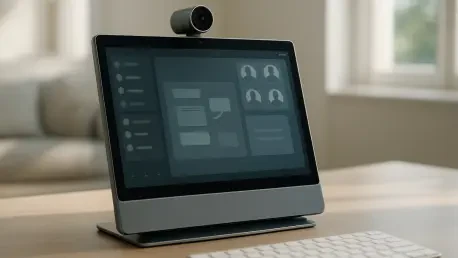
Hardware designers are now focusing on portability and footprint to solve the “lack of space” problem that many hybrid workers face. For instance, devices like the Neat Frame are built with a slim profile and even include a handle on the back, allowing a user to pick it up and move their “office” from the kitchen to the bedroom or a quiet corner in seconds. This flexibility is crucial because it acknowledges that work happens everywhere, and the equipment should be able to follow the person, not the other way around. By creating a dedicated device for Zoom or Microsoft Teams calls, the laptop is freed up for actual task management, which improves the overall flow of the workday. It turns any surface into a professional station, ensuring that the worker appears polished even if their background is a lived-in home environment.
When employees return to the physical office, their needs often shift from isolation to person-to-person collaboration. How is the concept of ‘hot desking’ changing with the integration of all-in-one video devices?
The traditional “shared desk” in an office was often a barren space with just a monitor and a keyboard, but we are seeing a massive upgrade in how these spaces are outfitted. Currently, about one-quarter of organizations are leaning into a shared desk approach, but the most interesting trend is that 40% of organizations are choosing to use all-in-one desktop video devices to support these setups. These units, like the Webex Desk Series, serve as high-quality monitors with integrated cameras and microphones that can turn any generic desk into a personalized workspace. When a worker arrives at the office, they can log in to a device that syncs with their calendar and chats, making the transition from home to office feel seamless. This level of integration ensures that when an employee has downtime between in-person meetings, they have a professional-grade hub to jump back into their digital tasks.
From an operational standpoint, managing a fleet of scattered home devices can be a logistical nightmare. What are the specific advantages for IT teams when organizations opt for enterprise-grade hardware over consumer-grade peripherals?
The “headache” of supporting remote workers is real, especially when IT has to troubleshoot a dozen different consumer-grade webcams and headsets that they didn’t even purchase. Enterprise-grade hardware offers central management capabilities that allow IT groups to remotely access devices, handle configurations, and track inventory from a single dashboard. If an executive in another state is having audio quality issues, the IT team can dive into the device registration and fix the problem without the employee ever having to ship the unit back. Using all-in-one dedicated devices also reduces the number of “points of failure” compared to a messy setup of separate cables, cameras, and microphones. This scalability and reliability are what make business-grade hardware a long-term investment rather than a temporary fix.
Despite the clear technical benefits, many organizations hesitate due to the high cost of specialized personal devices. How can leaders justify the investment in professional hardware when employees seem satisfied with cheaper consumer alternatives?
There is definitely some trepidation regarding “who pays” for these devices, as they aren’t always high-margin items compared to massive boardroom systems. However, the value becomes clear when you look at the middle-ground solutions, like the Poly Studio P5 or Logitech C930e, which offer professional features like directional microphones and intelligent framing at a more attractive price point. Leaders are starting to see that bundling these devices—such as HP’s move to pair their monitors and keyboards with Poly’s video tech—makes the financial pill easier to swallow. Furthermore, some packages now include security and connectivity insurance, like a Meraki router with a 4G fallback network, ensuring that a home internet outage doesn’t result in a lost day of work. It’s no longer just about buying a camera; it’s about purchasing an insurance policy for employee productivity.
Beyond standard daily meetings, what unique or untapped opportunities do you see for these devices to redefine enterprise communication in areas like customer service or reception?
We are moving into an era where desktop video hardware is being utilized for much more than just internal calls. Virtual receptionists are a fantastic example, where a slim, dedicated device allows a visitor to check in via a high-quality video link to a remote employee. We also see a massive opportunity in the contact center space; if an organization is building a center from scratch and wants all agents to use video to build trust with customers, these all-in-one devices are the perfect solution. Some of these units even feature 4K touchscreens, which could be used for interactive training or collaborative whiteboarding sessions that weren’t possible with a standard webcam. The versatility of these tools means they can serve as a bridge for almost any role that requires a face-to-face connection in a digital format.
What is your forecast for the future of desktop video hardware?
My forecast is that we will see a shift away from the “accessory” mindset toward a “dedicated portal” mindset, where the video hardware becomes a standalone workstation that functions independently of the laptop. As organizations look for more efficiency, we will likely see these devices becoming even more deeply integrated with hybrid workplace provisioning software to automatically configure themselves for individual employee profiles as soon as someone sits down. I expect that within the next few years, the distinction between a “monitor” and a “collaboration hub” will disappear entirely, with 4K touchscreens and AI-driven audio becoming the baseline standard for every office desk. We are moving toward a world where technology doesn’t just facilitate the meeting, but actively works in the background to ensure that the human connection remains the focal point, regardless of the physical distance between participants.