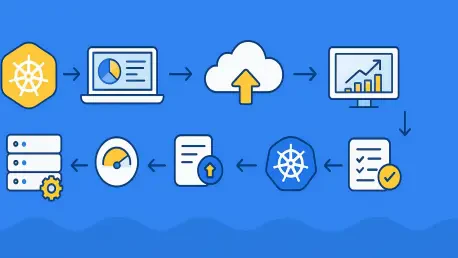

The evolution of cloud-native infrastructure in 2026 has transformed the Kubernetes Horizontal Pod Autoscaler from a simple resource management tool into a sophisticated orchestration engine capable of balancing performance requirements with extreme cost efficiency. As organizations increasingly deploy complex AI agents and bursty microservices, the ability to scale compute power based on real-time demand has become the differentiator between high-performing engineering teams and those struggling with massive cloud overhead. The contemporary landscape requires a transition from static replica counts to a dynamic, event-driven model that understands not just CPU usage, but also application-specific bottlenecks and external signals. This guide provides a comprehensive roadmap for implementing a production-grade autoscaling environment that leverages the latest advancements in Kubernetes 1.37, ensuring that every deployment remains resilient under load while maintaining a lean operational footprint when idle. By following this structured approach, technical professionals can move beyond basic configurations to master the nuances of resource requests, custom metric integration, and advanced stabilization policies that define modern cluster management.
Maintaining architectural consistency across development, staging, and production environments is essential for ensuring that autoscaling behaviors are predictable and reliable when they matter most. In 2026, the reliance on high-fidelity local environments has surged, leading to the widespread adoption of tools that can simulate multi-node cluster dynamics on a single machine. These environments allow engineers to test how the Horizontal Pod Autoscaler interacts with node pressure and scheduling constraints without incurring the costs of public cloud infrastructure during the early stages of development. However, the transition to managed services like Google Kubernetes Engine or Amazon EKS requires a clear understanding of version parity, as the autoscaling API has matured to include specific fields that may behave differently across various cloud provider control planes. Success in these environments depends on the precise alignment of the kubectl client version with the server version, a practice that prevents the silent failure of advanced manifest fields that are critical for modern traffic patterns.
Step 1: Initialize or Log Into Your Cluster
Modern development workflows in 2026 emphasize the use of multi-node local clusters to accurately mirror the complexity of production environments where workloads are distributed across different physical or virtual machines. Utilizing a tool like kind (Kubernetes in Docker) allows for the creation of a sophisticated local topology that includes a control plane and multiple worker nodes, which is vital for testing how the scheduler handles replica distribution during a scale-up event. This setup is particularly important when evaluating the interplay between pod anti-affinity rules and autoscaling, as a single-node cluster would mask potential scheduling bottlenecks that only appear when pods must be spread across multiple availability zones. By defining a configuration that explicitly requests multiple worker nodes, developers can ensure that their Horizontal Pod Autoscaler testing environment is robust enough to reveal real-world challenges related to node capacity and resource exhaustion before any code is pushed to a remote repository.
For those moving directly to a cloud-managed environment, the initialization phase involves establishing a secure connection to clusters running on platforms like GKE, EKS, or AKS. It is imperative to verify the server version immediately upon connection, as Kubernetes 1.37 has introduced refinements to the autoscaling/v2 API that enhance the precision of metric collection and the responsiveness of the controller loop. Ensuring that the local CLI tools are within one minor version of the server prevents administrative friction and ensures that the metadata associated with the Horizontal Pod Autoscaler objects is correctly interpreted by the cluster. Once the connection is established and the node health is confirmed, the infrastructure is ready for the deployment of the underlying services that provide the raw data needed for the autoscaler to make informed decisions about when to add or remove capacity based on the observed load of the running applications.
Step 2: Set Up the Metrics Collection Service
The Horizontal Pod Autoscaler cannot function in a vacuum; it requires a constant stream of telemetry data to determine whether the current number of replicas is sufficient for the workload being processed. In the standard Kubernetes architecture, this data is provided by the metrics-server, a cluster-wide aggregator of resource usage data that collects information from the Kubelet on each node. While many managed cloud providers include a version of this service by default, teams operating custom or local clusters must manually deploy and configure the metrics-server to ensure the autoscaling/v2 API group has a reliable backend. The deployment process involves applying a set of standardized manifests that define the necessary service accounts, cluster roles, and deployments required to scrape and serve CPU and memory utilization data to the rest of the system, effectively acting as the heartbeat of the entire autoscaling infrastructure.
In localized testing environments or specific air-gapped configurations, the metrics-server often requires additional tuning to overcome network or security hurdles that would not exist in a fully integrated cloud environment. For example, clusters created with kind or minikube frequently encounter issues with TLS verification when the metrics-server attempts to communicate with nodes using self-signed certificates. Resolving this requires patching the metrics-server deployment to bypass Kubelet TLS verification, a necessary compromise for development environments that must be handled with care to avoid creating security vulnerabilities in production. Once these patches are applied and the rollout is complete, the functionality can be verified by querying the node metrics directly, confirming that the cluster now possesses the “sight” required to recognize when resource consumption is approaching critical thresholds that necessitate a change in the replica count.
Step 3: Launch a CPU-Intensive Test Application
To effectively demonstrate and validate the capabilities of the Horizontal Pod Autoscaler, a workload must be deployed that can predictably consume resources in response to external stimuli. A common and reliable choice for this purpose is a PHP-Apache service specifically engineered to perform intensive calculations upon receiving HTTP requests, providing a clear and measurable link between incoming traffic and CPU utilization. This sample application serves as the perfect test subject because it allows engineers to observe the lag between a traffic spike and the subsequent scaling action, as well as the eventual cooldown period after the load is removed. Deploying this service into a dedicated namespace ensures that the testing process does not interfere with other cluster activities, providing a clean environment for analyzing the performance of the autoscaling logic under various simulated stress scenarios.
A critical requirement for any workload intended for use with the Horizontal Pod Autoscaler is the explicit definition of resource requests and limits within the pod specification. The HPA controller uses the CPU request as the baseline for its percentage-based calculations; without this value, the system has no reference point to determine what “50% utilization” actually means in terms of millicores. By setting a request of 200m and a limit of 500m, the administrator provides the scheduler and the autoscaler with the necessary boundaries to manage the pod’s lifecycle. If these requests are omitted, the HPA will fail to calculate the target utilization, leaving the deployment in a static state regardless of how much pressure is applied to the service. This highlights a fundamental principle of Kubernetes resource management: the autoscaler is only as effective as the resource definitions provided in the application manifest, making precise capacity planning a prerequisite for successful automation.
Step 4: Construct the HPA Configuration File
The Horizontal Pod Autoscaler configuration is a declarative manifest that defines the desired state of a deployment’s scalability, linking a specific target resource to a set of performance metrics and boundary conditions. Utilizing the autoscaling/v2 API version is mandatory in 2026, as it provides the most comprehensive feature set for defining complex scaling behaviors, including support for multiple metrics and custom stabilization windows. The manifest specifies the scaleTargetRef, which points the autoscaler toward the deployment it is intended to manage, and sets the minReplicas and maxReplicas fields to establish the operational floor and ceiling for the application. These boundaries are essential for preventing the cluster from being overwhelmed by an unbounded number of pods during a massive traffic spike, while also ensuring that at least a baseline level of availability is maintained during quiet periods.
The metrics section of the HPA manifest is where the logic of the autoscaling decision is defined, typically starting with a Resource metric that monitors average CPU utilization across all active replicas. By setting a target averageUtilization of 50, the administrator instructs Kubernetes to maintain a state where the aggregate CPU usage of the pods remains at half of their requested capacity. If the average usage exceeds this threshold, the HPA controller calculates the number of additional pods needed to bring the average back down to the target level. This mathematical relationship is the core of the HPA’s loop, and understanding how it interprets these values is key to fine-tuning the responsiveness of the system. The manifest should be stored in version control alongside the application code, ensuring that the scaling logic evolves in tandem with the service it protects, reflecting the true performance characteristics of the software as it changes over time.
Step 5: Activate and Inspect the Autoscaler
Applying the Horizontal Pod Autoscaler manifest to the cluster triggers the creation of a control loop that immediately begins monitoring the target deployment’s resource consumption through the metrics API. After the initial application of the YAML file, there is a brief period during which the HPA gathers its first data points; during this time, the status of the targets may appear as unknown or pending. This is a normal part of the initialization process, as the metrics-server requires a few collection cycles to generate a stable average for the HPA controller to consume. Monitoring this progress with the watch command allows the administrator to see the exact moment the system becomes active, providing immediate feedback on whether the metrics are being correctly reported and if the connection between the HPA and the metrics-server is functioning as intended.
Once the HPA is live, inspecting its status provides a wealth of information about the current state of the application and the decisions being made by the controller. The TARGETS column in the output of the get hpa command shows the relationship between the actual utilization and the desired threshold, offering a real-time snapshot of the system’s performance. If the actual utilization is significantly below the target, the replica count will remain at the minimum specified value, while a value approaching or exceeding the target indicates that a scaling event may be imminent. This inspection phase is also the time to check the HPA’s events, which can be seen by describing the resource. These events record every decision the autoscaler makes, providing a transparent audit trail of why the replica count was changed, which is invaluable for troubleshooting issues related to insufficient node capacity or misconfigured resource requests.
Step 6: Simulate Traffic and Observe Scaling
Validating the Horizontal Pod Autoscaler requires the generation of artificial load that is sustained long enough to trigger the scaling logic and demonstrate the system’s ability to handle increased demand. This is typically achieved by deploying a separate “load-generator” pod that runs a continuous loop of HTTP requests against the target service, simulating a sudden influx of users or a surge in processing requirements. Using a lightweight container like busybox allows for the rapid deployment of this tool, which can hammer the PHP-Apache service with a barrage of wget or curl commands. As the load-generator executes its loop, the CPU consumption of the target pods will begin to rise, and the metrics-server will report these higher values to the HPA controller, setting the stage for the first automated scaling event of the deployment.
As the monitored utilization crosses the 50% threshold defined in the HPA manifest, the observer will see the REPLICAS count begin to climb in the terminal. Kubernetes does not just add one pod at a time; it calculates the precise number of replicas needed to return the system to the target utilization level, potentially doubling or tripling the pod count in a single operation if the load is severe enough. Watching this process unfold in real-time provides deep insight into the latency of the cluster’s scaling response, which is influenced by factors such as image pull speed, pod startup time, and the HPA’s own polling interval. Once the load-generator is stopped, the observer can also witness the scale-down process, which is intentionally more gradual to prevent the premature removal of pods during a temporary dip in traffic. This lifecycle of expansion and contraction confirms that the basic HPA configuration is working as designed, providing a solid foundation for more advanced autoscaling techniques.
Step 7: Integrate Custom Prometheus Data
While CPU and memory utilization are useful metrics for many workloads, they often fail to capture the true performance bottlenecks of applications that are bound by I/O, network latency, or external queue lengths. In 2026, many services are designed around message-driven architectures where the most relevant scaling signal is the number of pending tasks in a queue rather than the raw processing power being consumed. To address this, the Prometheus Adapter can be integrated into the cluster, allowing the Horizontal Pod Autoscaler to make decisions based on any metric stored in a Prometheus database. This bridge transforms the HPA from a generic resource manager into an application-aware scaler that can react to high-level business events, such as an increase in active user sessions or a spike in API request rates that may not immediately manifest as a high CPU load.
The implementation of custom metrics begins with the installation of the Prometheus Adapter via Helm, which registers itself as a provider for the custom.metrics.k8s.io API. Once the adapter is in place, the HPA manifest is updated to include a metrics block of type Pods or External, referencing the specific metric name and target value defined in Prometheus. For example, a web service might be configured to scale up whenever the average number of requests per second exceeds a certain threshold, ensuring that latency remains low even as traffic volume fluctuates. This approach allows for much more granular control over the scaling behavior, as engineers can choose the exact telemetry that most accurately reflects the health and responsiveness of their specific application. It also enables the creation of multi-metric HPAs, where a deployment might scale based on CPU as a safety net while using custom metrics for primary operational decisions.
Step 8: Implement Scale-to-Zero Using KEDA
A significant limitation of the native Horizontal Pod Autoscaler is its inability to reduce the replica count of a deployment to zero, which leads to unnecessary costs when services are truly idle. This is particularly problematic for event-driven workloads, such as background workers that only need to run when a specific message arrives in a queue or a file is uploaded to a storage bucket. KEDA (Kubernetes Event-Driven Autoscaling) solves this by acting as a sophisticated metrics proxy that can drive a deployment down to zero replicas when no events are detected and then “wake” the application by scaling it back up to one or more replicas when work arrives. This scale-to-zero capability is a cornerstone of serverless-like architectures on Kubernetes, allowing teams to maximize their resource efficiency without sacrificing the ability to respond to incoming requests.
The deployment of KEDA involves installing its operator and admission webhooks, which then manage a new resource type called a ScaledObject. The ScaledObject links a target deployment to one or more triggers, such as a Kafka topic, an AWS SQS queue, or a Prometheus query, and defines the minimum and maximum replica counts, including the option for a zero minimum. When the KEDA controller detects that the trigger condition is met, it automatically creates and manages a standard HPA object to handle the scaling logic, effectively extending the built-in capabilities of Kubernetes with the power of event-driven triggers. This setup allows for extremely efficient resource usage, as entire fleets of microservices can remain dormant until they are actually needed, freeing up cluster capacity for other workloads and significantly reducing the overall cloud bill for the organization.
Step 9: Refine Scaling Speed with Policies
One of the most challenging aspects of autoscaling is managing the phenomenon known as “flapping,” where a deployment rapidly scales up and down in response to jittery traffic, leading to instability and wasted resources. To combat this, the Horizontal Pod Autoscaler provides a behavior field that allows for the fine-tuning of scaling velocity and the implementation of stabilization windows. By default, Kubernetes uses a five-minute window for scaling down, meaning it looks back over the last five minutes of metrics and chooses the highest recommended replica count to ensure that pods are not removed too quickly after a brief dip. In 2026, engineers frequently customize these windows to better match the specific needs of their applications, perhaps shortening them for highly elastic web tiers or lengthening them for stateful services that take a long time to initialize.
Within the behavior configuration, administrators can define specific policies for both scale-up and scale-down actions, choosing between absolute pod counts or percentage-based changes. For instance, a scale-up policy might be configured to allow for a maximum increase of four pods per minute, providing a controlled expansion that gives the underlying infrastructure time to provision new nodes if necessary. Conversely, a scale-down policy might limit the reduction to 25% of the current replicas every sixty seconds, preventing the system from shedding too much capacity at once and leaving the remaining pods vulnerable to a sudden resurgence in traffic. These policies provide the guardrails necessary for production-grade autoscaling, allowing teams to balance the need for rapid response with the requirement for system stability and predictability under fluctuating conditions.
Step 10: Coordinate with Infrastructure Autoscaling
Horizontal Pod Autoscaling is only one half of the capacity management equation; it manages the number of pods, but it has no control over the physical or virtual nodes that host them. If the HPA decides to scale a deployment from 10 to 100 replicas, but the cluster only has enough spare capacity for 20, the remaining 80 pods will remain in a “Pending” state because they cannot be scheduled. To resolve this, the HPA must be paired with an infrastructure-level autoscaler, such as the Kubernetes Cluster Autoscaler or the more modern Karpenter. These tools monitor the cluster for unschedulable pods and automatically request new nodes from the cloud provider, ensuring that the total compute capacity of the cluster expands and contracts in lockstep with the demand generated by the HPA.
The coordination between pod scaling and node scaling is a delicate dance that requires careful configuration to avoid bottlenecks. If the cluster autoscaler is too slow to provision new nodes, the application will experience performance degradation as pods wait for resources to become available. Conversely, if the node pool is not configured to scale down efficiently, the organization may find itself paying for idle servers long after the HPA has reduced the pod count. In 2026, the use of “just-in-time” node provisioners like Karpenter has become the standard for high-performance clusters, as they can bypass the limitations of traditional node groups and provision the exact instance types needed by the pending pods in seconds. This tight integration ensures that the promises of autoscaling are fully realized, with the infrastructure providing a flexible and responsive foundation for the dynamic workloads running on top of it.
Step 11: Establish Security and Financial Guardrails
Implementing a powerful autoscaling system without proper guardrails is a significant operational risk that can lead to both security vulnerabilities and unexpected financial catastrophes. From a security perspective, every new pod created by the autoscaler is a potential attack surface, making it essential to use admission controllers like Kyverno or OPA Gatekeeper to enforce strict security policies at the moment of creation. These tools can ensure that all autoscaled pods adhere to best practices, such as running as non-root users, having restricted filesystem access, and using only approved container images. By embedding security into the autoscaling pipeline, organizations can ensure that their dynamic growth does not come at the cost of their security posture, maintaining a consistent level of protection across thousands of replicas.
Financial guardrails are equally critical, as an improperly configured HPA with a massive maxReplicas value could potentially scale a deployment to consume an entire cloud region’s worth of resources during a DDoS attack or a recursive loop in the code. To prevent this “autoscaling bill shock,” administrators must set realistic limits on the maximum number of replicas and use Kubernetes Resource Quotas to bound the total amount of CPU and memory a single namespace can consume. Additionally, the implementation of Pod Disruption Budgets (PDBs) ensures that even during rapid scaling or node maintenance, a minimum number of pods remain available to serve traffic, preventing the autoscaler or the cluster manager from inadvertently causing an outage. Together, these security and financial controls provide the necessary safety net for a fully automated environment, allowing teams to innovate with confidence knowing that the system has built-in protections against both malicious actors and accidental misconfigurations.
Step 12: Perform a Final End-to-End Audit
The final step in mastering Kubernetes HPA is the execution of a comprehensive end-to-end audit to verify that all components of the autoscaling stack are operating in harmony. This audit involves more than just checking if pods are spinning up; it requires a deep dive into the health of the various APIs and controllers that support the system. By querying the raw metrics APIs for both resource and custom data, engineers can confirm that the telemetry pipeline is clear and that there is no significant latency between a change in application state and its reflection in the metrics. Furthermore, checking the status of ScaledObjects and Pod Disruption Budgets provides a holistic view of the system’s readiness, ensuring that every layer of the automation is properly configured and reporting healthy status values.
During this audit phase, it is also beneficial to perform a final stress test that simulates a worst-case scenario, such as a simultaneous spike in traffic across multiple autoscaled deployments. This “chaos engineering” approach reveals how the cluster handles resource contention and whether the node autoscaler can keep up with a massive, multi-front demand for capacity. Observing the logs of the HPA controller and the cluster autoscaler during this test provides final confirmation that the decision-making logic is sound and that the stabilization policies are preventing unwanted flapping. Once the system has successfully navigated these challenges and returned to its baseline state, the administrator can be confident that the environment is truly production-ready, capable of providing the resilience and efficiency required by the most demanding modern applications.
Strategic Implementation and Operational Evolution
The successful deployment of a Horizontal Pod Autoscaler environment has historically represented a major milestone in the journey toward operational maturity for cloud-native organizations. By systematically moving through the stages of cluster initialization, metrics configuration, and the refinement of scaling policies, technical teams have built a robust framework that transformed compute resources from static liabilities into dynamic assets. The integration of custom Prometheus metrics and KEDA-driven scale-to-zero logic has further extended the reach of the Kubernetes API, allowing for a level of efficiency and responsiveness that was previously only achievable in specialized serverless environments. This evolution has demonstrated that the true power of Kubernetes lies not just in container orchestration, but in its ability to serve as a programmable substrate for entire business ecosystems.
Reflecting on the progress made through these twelve steps, it became clear that the most effective autoscaling strategies were those that prioritized visibility, security, and financial responsibility alongside raw performance. The adoption of Pod Disruption Budgets and Resource Quotas has ensured that the speed of automation never outpaced the requirements of system stability or the constraints of the corporate budget. Furthermore, the coordination between pod-level and infrastructure-level autoscaling has eliminated the bottlenecks that once plagued early container deployments, creating a seamless path from the first bit of incoming traffic to the provisioning of the final required CPU core. These practices have established a new standard for how modern software is delivered and maintained, providing a blueprint for the next generation of resilient, cost-effective distributed systems.
Looking forward, the lessons learned from implementing these sophisticated autoscaling pipelines have paved the way for even more advanced optimizations, such as the use of machine learning to predict traffic spikes before they occur. Organizations that have mastered the fundamentals of the HPA are now well-positioned to leverage proactive scaling models that reduce latency and further improve resource utilization by anticipating demand patterns. As the industry continues to move toward more autonomous and self-healing infrastructures, the foundational knowledge of how to configure and secure the Horizontal Pod Autoscaler will remain a critical skill for any professional tasked with managing the complex, high-velocity workloads that define the technological landscape. The journey from a basic cluster to a masterfully tuned autoscaling environment was a testament to the power of declarative configuration and the enduring value of the Kubernetes ecosystem.