
The current landscape of productivity software has undergone a fundamental transformation where the convenience of integrated cloud suites is now often outweighed by the heavy burden of recurring costs and the erosion of individual data privacy. As users navigate the complexities of a digital world where every interaction is tracked and monetized, the appeal of moving toward a more autonomous and secure infrastructure has reached a critical tipping point in 2026. This shift is not merely a reaction to rising subscription prices but a strategic pivot toward digital sovereignty, where the ownership of one’s creative and professional output is no longer contingent upon the whims of a single corporate entity. Transitioning away from a long-established ecosystem like Microsoft 365 requires more than just finding free alternatives; it demands a comprehensive reassessment of how data is stored, shared, and processed in a way that prioritizes longevity and security over short-term ease of use.
Redefining the Writing Process
Moving From Word to Obsidian: A Performance Shift
The legacy of Microsoft Word as the ubiquitous standard for document creation is increasingly challenged by the reality of its resource-intensive architecture, which often feels sluggish even on high-performance machines. For many professionals, the experience of waiting for a heavy word processor to initialize just to record a brief observation or draft a short memorandum has become a source of friction in their daily workflows. This bloat is largely a byproduct of decades of feature accumulation, where the vast majority of tools remain unused by the average user but still contribute to the software’s overall weight and complexity. In contrast, the emergence of local-first applications like Obsidian has introduced a paradigm shift, offering a streamlined environment where the focus is placed squarely on the act of writing and the organization of thought without the overhead of a traditional desktop publishing suite.
Obsidian operates on an Electron-based framework but manages to remain exceptionally fast by prioritizing local file indexing over constant cloud synchronization during the active writing process. This architectural choice allows for near-instantaneous startup times and a responsive user interface that scales effectively even as a user’s library of documents grows into the thousands. By removing the distraction of complex ribbon menus and hidden formatting marks, the platform encourages a more focused and intentional approach to content creation. This shift does not imply a loss of functionality but rather a reallocation of resources toward the features that matter most to modern writers: searchability, interlinking, and the ability to maintain a clear mental map of their information. The result is a productivity tool that feels like a natural extension of the user’s mind rather than a restrictive digital container.
The Power: Markdown and Data Sovereignty
At the core of the transition toward more independent writing tools lies the adoption of the Markdown (.md) file format, which serves as a powerful antidote to the proprietary nature of traditional document files. While the standard .docx format is essentially a complex, zipped collection of XML files that require specific software to interpret correctly, Markdown is composed of simple, human-readable plain text. This fundamental difference ensures that documents are not tethered to a specific application or a paid subscription for their survival or accessibility. If a particular piece of software ceases to be supported or changes its licensing terms, the user’s data remains entirely intact and can be opened by any basic text editor on any operating system, providing a level of future-proofing that proprietary formats simply cannot match.
This commitment to data sovereignty means that the user maintains absolute control over the storage and distribution of their work, effectively eliminating the risk of vendor lock-in that characterizes the current SaaS era. Because Markdown files are tiny and portable, they can be easily managed through standard file browsers or version control systems, allowing for a more transparent and reliable archiving process. This transparency is particularly crucial for researchers, lawyers, and creative professionals whose work must remain accessible for decades rather than just the duration of a software license agreement. By stripping away the proprietary layers that often sit between a writer and their words, the move to a Markdown-first workflow represents a significant step toward reclaiming the digital autonomy that has been steadily eroded by centralized platforms.
Functional Roles: Syncing and Organization
Obsidian effectively bridges the gap between a simple note-taking utility and a robust environment for long-form writing by utilizing a flexible system of plugins and internal linking. Users can format their documents using simple syntax for headings, lists, and citations, which allows for rapid document structuring without ever needing to move their hands from the keyboard. This keyboard-centric approach not only increases the speed of production but also reduces the physical strain associated with navigating complex graphical menus. For those who require more advanced features, such as task management or data visualization, a vibrant community of contributors provides extensions that can be added or removed according to the specific needs of the project, ensuring the core application remains as light as possible.
Maintaining synchronization across a variety of devices is handled through a diverse range of methods that do not force the user into a proprietary cloud silo. Whether through third-party services, secure file transfer protocols, or specialized sync utilities, the user can ensure their work is available on desktops, laptops, and mobile devices without sacrificing the privacy of their data. This flexibility is a hallmark of the local-first philosophy, where the application provides the tools for creation while the user chooses the infrastructure for storage and transport. By decoupling the software from the storage layer, this approach provides a more resilient and customizable experience than the traditional integrated model. The ability to work seamlessly across different environments without a mandatory internet connection further underscores the efficiency and reliability of this modern writing stack.
Finding a Traditional Office Alternative
The Versatility: Comprehensive LibreOffice Features
When the requirements of a task expand beyond text to encompass complex financial modeling, data-driven spreadsheets, or professional slide decks, a comprehensive office suite becomes an indispensable asset. LibreOffice has established itself as the primary open-source successor to Microsoft 365 by offering a deep and versatile toolset that mirrors the core functionality of its proprietary counterparts. The suite includes Writer for advanced word processing, Calc for sophisticated spreadsheet analysis, and Impress for creating high-impact presentations. Each of these applications is designed to handle the rigorous demands of professional environments, providing the same level of granular control over formatting, formulas, and animations that users have come to expect from industry-standard software.
Beyond the three main pillars, LibreOffice provides specialized tools like Draw for vector graphics and flowcharts, Base for database management, and Math for complex formula editing, making it a truly holistic solution for any organization. These tools are built on a foundation of open standards, specifically the OpenDocument Format (ODF), which is recognized internationally as a standard for office applications. This commitment to open standards ensures that documents created within the suite are not only compatible with other open-source tools but are also designed for long-term preservation and interoperability. By providing a full-featured alternative that does not require a recurring financial commitment, LibreOffice empowers individuals and small businesses to compete on a level playing field with much larger entities without the burden of expensive licensing fees.
Offline Reliability: The Advantage of Local Computing
A defining characteristic of LibreOffice is its focus on offline reliability, which stands in stark contrast to the modern trend of requiring a persistent internet connection for software validation and document access. In an era where cloud dependency is often framed as a necessity, the ability to work in remote locations or during network outages remains a critical requirement for many professionals. LibreOffice is installed and run entirely on the local hardware, ensuring that the performance of the software is limited only by the computer’s specifications rather than the quality of the user’s internet service. This local-first execution model also provides a significant layer of security, as sensitive documents do not need to leave the local network during the creation or editing phases.
Furthermore, the availability of portable versions of LibreOffice adds a layer of flexibility that is rarely found in commercial suites. These versions can be stored on a USB drive or an external hard disk and run on any compatible Windows machine without the need for installation or administrative privileges. This capability is invaluable for users who frequently move between different workstations or those who need to maintain a consistent set of tools in environments where they do not have full control over the operating system. By prioritizing portability and offline performance, LibreOffice ensures that the user’s tools are always available, regardless of external circumstances. This reliability is a cornerstone of the open-source philosophy, where the software is designed to serve the user’s needs in every possible context.
Compatibility Realities: Bridging the Ecosystem Gap
Transitioning to an open-source suite naturally involves navigating the complexities of file compatibility, especially when collaborating with partners or clients who remain firmly entrenched in the Microsoft ecosystem. LibreOffice has made significant strides in its ability to read, edit, and write files in the .docx, .xlsx, and .pptx formats, allowing for a relatively smooth exchange of information in most professional settings. However, it is important for users to understand that perfect rendering is not always guaranteed, particularly for documents that utilize proprietary fonts, complex macros, or highly specific formatting features unique to Microsoft’s implementation. In these cases, minor adjustments may be necessary to ensure that the document appears exactly as intended when viewed across different platforms.
For the vast majority of daily tasks, these slight variations are negligible and do not impede the overall flow of work or communication. The suite’s ability to export documents directly to universal formats like PDF further mitigates potential compatibility issues, ensuring that the final output is presented consistently to all recipients. As the development community continues to refine the suite’s filters and rendering engines, the gap between open-source and proprietary performance continues to narrow. The choice to use LibreOffice is often a pragmatic one, based on the realization that the benefits of ownership and privacy far outweigh the occasional need for formatting tweaks. This approach fosters a more resilient and diverse digital environment where the quality of the work is the primary focus rather than the specific brand of software used to create it.
Securing Your Personal Cloud
Transitioning: Moving From OneDrive to Nextcloud
The decision to migrate from a corporate cloud service like OneDrive to a self-hosted platform like Nextcloud is typically driven by a deep-seated desire for enhanced privacy and the elimination of ongoing storage costs. As the volume of digital data generated by individuals continues to grow, the financial commitment required to maintain that data in a proprietary cloud can become substantial over time. More importantly, storing personal photographs, financial records, and private correspondences on servers owned by global corporations introduces a level of surveillance and data mining that many find unacceptable. By adopting a self-hosted model, the individual effectively becomes their own service provider, ensuring that their private information is never scanned for advertising purposes or used to train external algorithms.
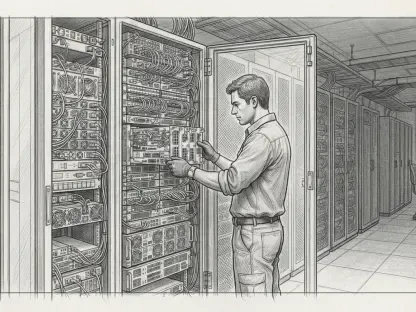
Nextcloud represents a fundamental shift toward digital sovereignty by allowing users to run their own “personal cloud” on hardware they physically own and control. This could be a dedicated home server, a high-performance Network Attached Storage (NAS) device, or even a low-power single-board computer. The software provides a comprehensive dashboard that mimics the functionality of commercial cloud providers, offering file storage, contact management, and calendar synchronization in a single, secure interface. By moving the data from a centralized data center to a local environment, the user significantly reduces their digital footprint and gains the peace of tied-down access. This transition is about more than just storage; it is about reclaiming the right to manage one’s own digital life without the intervention of a third-party intermediary.
The Benefits: A Robust Self-Hosted Architecture
A self-hosted Nextcloud instance offers a level of customization and feature integration that far exceeds the capabilities of standard commercial offerings. The platform is highly modular, allowing users to install various “apps” from an extensive library to add functionality such as end-to-end encrypted messaging, collaborative document editing, and automated photo backups. This flexibility ensures that the system can be tailored to meet the specific requirements of a household or a small business, providing a centralized hub for all digital activities. Because the user is the administrator, they have full control over user permissions, storage quotas, and security policies, ensuring that every aspect of the platform aligns with their personal standards for data protection.
Synchronization across a diverse array of devices is achieved through official Nextcloud clients that are available for every major operating system and mobile platform. These clients utilize standard protocols to ensure that files are kept up to date across desktops, tablets, and smartphones, providing the same level of convenience as OneDrive or Google Drive. Additionally, the platform supports the CalDAV and CardDAV protocols, allowing for seamless synchronization of calendars and contacts across native mobile applications. This interoperability ensures that the user is not restricted to a specific ecosystem but can choose the devices and software that best suit their needs. The result is a highly resilient and private digital environment that functions as a seamless extension of the user’s local computing resources, regardless of where they are in the world.
Technical Requirements: Building the Infrastructure
Establishing a personal cloud environment does require an initial investment of time and a willingness to engage with the technical aspects of server management. The process typically involves configuring a local server, setting up a database, and ensuring that the network is properly secured to allow for remote access without compromising the local system. For those who are not comfortable with manual installations, many NAS manufacturers provide “one-click” installers for Nextcloud, and several providers offer pre-configured hardware that is ready to use out of the box. While the learning curve may be steeper than simply clicking “enable” on a pre-installed service, the knowledge gained during the setup process empowers the user to take full responsibility for their digital infrastructure.
Security is a paramount concern when hosting a personal server, and Nextcloud provides a wide range of tools to help users protect their data. This includes support for two-factor authentication, brute-force protection, and the ability to enable server-side encryption for all stored files. Users must also manage their own backup strategies, ensuring that their data is replicated to an external drive or a secondary location to protect against hardware failure. Although this adds a layer of responsibility, it also ensures that the user is fully aware of where their data is and how it is being protected. The long-term payoff for this technical engagement is a robust, free-to-operate system that provides total independence from the global cloud providers. This shift from passive consumer to active administrator is a defining characteristic of the modern movement toward a decentralized and more secure digital future.
Enhancing Digital Communication
From Outlook to Mailspring: A Modern Desktop Client
The transition from a traditional email client like Microsoft Outlook to a modern, open-source alternative like Mailspring is often a response to the increasingly cluttered and intrusive nature of proprietary communication tools. Recent iterations of the Outlook experience have introduced a variety of elements that many users find detrimental to productivity, including targeted advertisements, mandatory cloud-proxying for non-Microsoft accounts, and a general shift toward a web-based interface that lacks the responsiveness of a native application. Mailspring addresses these concerns by providing a fast, streamlined desktop client that is designed to handle multiple email accounts with a focus on privacy and a refined user experience. It offers a sophisticated environment that respects the user’s attention while providing the professional features necessary for effective communication.
Unlike the “New Outlook” which often feels like a wrapped web browser, Mailspring is built with a focus on native performance, utilizing a C++ sync engine that is optimized for speed and reliability. This architecture ensures that the application remains responsive even when managing massive inboxes with thousands of messages across different providers like Gmail, Yahoo, and IMAP-based services. By keeping the interface clean and free from promotional content, Mailspring allows the user to focus entirely on their correspondence, reducing the mental fatigue associated with navigating a busy digital environment. This shift toward a more intentional and respectful communication tool is representative of a larger trend where users are seeking software that serves their interests rather than the advertising goals of a service provider.
Privacy and Performance: Advanced Communication Features
One of the most critical advantages of using Mailspring is its commitment to direct connections, which ensures that sensitive email data is not routed through a third-party server during the synchronization process. Many modern email clients have adopted a “proxy” model where the application connects to the provider’s server, which then fetches the email on behalf of the user, a process that can expose login credentials and message content to the software developer. Mailspring avoids this security risk by allowing the desktop client to communicate directly with the email provider, maintaining a traditional and more secure connection model. This privacy-first approach is complemented by a suite of productivity tools that are designed to help users manage their time more effectively, such as the ability to “snooze” messages or schedule them to be sent at a later date.
In addition to its security features, Mailspring provides a range of advanced analytics and organization tools that are particularly useful for those managing professional follow-ups. The client includes built-in translation for over a hundred languages, allowing for seamless communication across international borders without the need to switch to an external translation service. It also offers features like open tracking and link-click monitoring, providing valuable insights into how recipients are interacting with sent messages. These tools are integrated directly into the interface in a way that remains unobtrusive, ensuring that they are available when needed but do not clutter the writing environment. By combining these powerful professional features with a commitment to local privacy, Mailspring offers a compelling alternative for anyone looking to escape the limitations of the Microsoft ecosystem.
Aesthetic Design: A Unified and Polished Inbox
The visual appeal and organizational efficiency of an email client play a significant role in how users perceive their daily workload, and Mailspring excels in providing a polished and contemporary interface. The unified inbox feature is a central component of this design, allowing users to view a single, chronological stream of messages from all their linked accounts without having to manually switch between different folders. This consolidation simplifies the process of staying on top of multiple communication channels, making it much easier to identify and respond to high-priority items. The application also supports a variety of themes and layout options, enabling users to customize the look and feel of their workspace to match their personal aesthetic preferences or to reduce eye strain during long working hours.
The design philosophy behind Mailspring is centered on providing a high-quality user experience that rivals the most expensive paid applications on the market. Every element of the interface, from the typography to the icon sets, is crafted to provide a sense of clarity and professionalism that is often missing from legacy open-source clients. This attention to detail is not merely about appearance; it is about creating a tool that users actually enjoy interacting with on a daily basis. By proving that open-source software can be both beautiful and functionally superior, Mailspring has become a favorite among those who value both style and substance in their digital tools. The result is a communication hub that feels modern, capable, and entirely aligned with the needs of a sophisticated digital professional in the current year.
Achieving Digital Independence
The Philosophy: Decentralization and Autonomy
The strategic movement toward a diverse stack of open-source and local-first tools is fundamentally rooted in the philosophy of decentralization, which seeks to break the monopoly that a few large corporations have over the digital landscape. By choosing to “de-Microsoft” a workflow, a user is making a conscious decision to move away from a model of software-as-a-service and toward a model of software-as-a-tool. This distinction is crucial because it shifts the power balance from the provider to the individual, who is no longer subject to sudden changes in pricing, terms of service, or feature availability. Decentralization ensures that if one part of the ecosystem changes or fails, the rest of the user’s digital life remains unaffected, creating a much more resilient and adaptable environment.
This commitment to autonomy also fosters a culture of interoperability, where the focus is on the data itself rather than the application used to create it. When documents are stored in open formats like Markdown or ODF and managed through protocols like IMAP and CalDAV, they can be accessed and edited by any number of different tools across various platforms. This freedom to choose the best tool for a specific task without being trapped by proprietary file types is the essence of digital sovereignty. It encourages a more thoughtful and deliberate relationship with technology, where tools are selected based on their merit and their respect for the user’s rights. Ultimately, the goal is to create a digital workspace that is as stable and reliable as a physical desk, providing a solid foundation for creative and professional endeavors.
Balancing Expectations: Navigating the Transition Phase
Transitioning to an entirely open-source workflow is a process that requires a realistic understanding of the challenges and rewards associated with such a significant change. It is important to acknowledge that there will be a learning curve as users familiarize themselves with new interfaces, different terminologies, and the technical requirements of self-hosting. For instance, moving from the seamless automation of OneDrive to the manual oversight of a Nextcloud server involves a shift in responsibility that some may find daunting at first. However, this initial investment of effort is what leads to long-term security and financial freedom, as the user gains a deeper understanding of the systems they rely on every day.
The benefits of this transition are most visible in the increased performance, enhanced privacy, and the elimination of the “subscription fatigue” that has become a common complaint in the modern era. By taking the time to properly configure their environment, users can create a workspace that is faster and more secure than any commercial alternative. It is also important to remember that this transition does not have to happen overnight; many users find success by replacing one application at a time, allowing them to integrate each new tool into their workflow at a comfortable pace. This gradual approach ensures that productivity is maintained while the new infrastructure is being established. The long-term outcome of this effort is a highly personalized and robust digital environment that is entirely owned and controlled by the individual.
Final Steps: Implementing a Sovereign Digital Future
The path toward digital independence was successfully paved by those who recognized the inherent risks of centralized cloud ecosystems and took proactive steps to secure their personal data. By integrating Obsidian, LibreOffice, Nextcloud, and Mailspring into a cohesive workflow, users established a powerful toolkit that mirrored the functionality of the Microsoft 365 suite without its associated drawbacks. This combination of tools provided the necessary agility for modern work while ensuring that all files, communications, and organizational data remained strictly under the user’s control. The transition was not merely a technical upgrade but a fundamental reassertion of the right to privacy and the importance of open standards in a rapidly evolving technological landscape.
Looking forward, the continued development of these open-source projects suggested a future where the gap between proprietary and community-driven software would disappear entirely. The move toward a self-hosted and local-first model proved to be a sustainable strategy for managing the complexities of a digital life, offering a level of security that commercial providers could not replicate. For anyone seeking to reclaim their digital sovereignty, the lesson was clear: the tools for independence were already available, requiring only the initiative to deploy them. As the reliance on subscription-based models began to wane, the empowered individual emerged with a digital workspace that was resilient, private, and entirely their own. This shift toward a more conscious and autonomous way of computing became the new standard for excellence in the professional world.