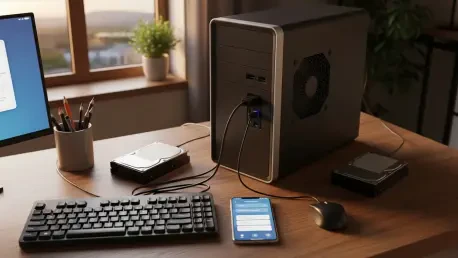

The relentless accumulation of monthly digital subscription fees for cloud storage and media streaming services has reached a critical threshold for many consumers who now face significant subscription fatigue. Currently, individuals find themselves tethered to recurring payments for platforms such as Google One, iCloud, and various entertainment providers, often spending hundreds of dollars annually for the privilege of accessing their own data. This transition toward “digital rent” has sparked a renewed interest in reclaiming data ownership by repurposing legacy personal computers that might otherwise be relegated to electronic waste. By transforming an aging desktop or laptop into a dedicated home server, a user effectively stops paying for third-party infrastructure and begins building a personal asset. This process involves a fundamental shift in how digital resources are managed, moving away from centralized corporate silos toward a model of digital self-sufficiency that prioritizes privacy and long-term cost efficiency. A crucial component of this journey is understanding the distinction between simple storage and a full-featured server. While a Network Attached Storage (NAS) device primarily focuses on providing a centralized location for file sharing across a local network, a home server offers a much broader range of capabilities. Modern software allows an old PC to operate as a hybrid of both, serving as a private version of popular cloud drives while simultaneously managing smart home ecosystems, hosting personal websites, and running specialized applications that would otherwise require separate, paid services.
Hardware Realities: Breaking the Myth of Enterprise Requirements
A persistent misconception within the tech community suggests that maintaining a reliable server requires expensive, enterprise-grade components or the latest high-performance processors to function effectively. In reality, hardware produced over a decade ago remains remarkably capable of handling the demands of a modern household’s digital needs, provided it is configured correctly. For example, a third-generation Intel Core i5 processor, though considered obsolete by modern gaming or professional workstations standards, possesses more than enough computational power to manage file synchronization and high-definition media streaming for several simultaneous users. The operational requirements for a private cloud are significantly different from those of a primary workstation; the server often spends much of its time in a low-power state, waiting for requests rather than performing intensive calculations. Consequently, the focus shifts from raw clock speeds to the overall efficiency and reliability of the existing hardware. This realization allows many users to extract several more years of high-value utility from machines that were previously deemed destined for the recycling center, effectively bypassing the need for a significant initial investment in new equipment.
While the central processor is rarely the limiting factor for home-scale operations, memory capacity frequently emerges as the primary bottleneck when expanding the server’s functionality. As a home server begins to host multiple isolated applications, often referred to as containers, the demand for Random Access Memory (RAM) increases exponentially. If a system attempts to run a file-syncing service, a media manager, and a home automation hub on just 8GB of RAM, it may experience significant performance degradation or system-wide crashes under heavy loads. Upgrading the machine to 16GB or 32GB of RAM is often the single most impactful and cost-effective improvement a user can make to ensure long-term stability. This upgrade allows the operating system to handle multiple concurrent tasks without resorting to slow disk-based virtual memory, which can lead to hardware wear and sluggish response times. Prioritizing memory over a faster CPU represents a strategic approach to server building, ensuring that the machine remains responsive as more services are added to the ecosystem over time. This foundational stability is what enables a DIY server to compete with the reliability of commercial cloud providers while maintaining a fraction of the operating cost.
Strategic Software Selection: Balancing Performance and Usability
The choice of an operating system serves as the most critical decision in the construction of a private cloud, as it dictates the balance between system efficiency and ease of management. While many users are tempted to stick with a familiar environment like Windows, these consumer-grade operating systems are often burdened with background processes and unnecessary software that consume valuable hardware resources. This “bloatware” can impede the performance of older components and introduce security vulnerabilities that are undesirable for a machine meant to remain active around the clock. On the opposite end of the spectrum, pure Linux distributions offer exceptional efficiency and security but often require a steep learning curve involving complex command-line interfaces. For the average user, specialized storage operating systems provide an ideal middle ground by offering a professional-grade backend with a user-friendly, web-based graphical interface. These systems simplify the management of storage pools, user permissions, and network settings, making the transition to self-hosting accessible to those who are not necessarily experts in network administration or system architecture.
Modern server software further enhances usability and resilience through the implementation of containerization technology. This architectural approach allows different applications to run in their own isolated environments, sharing the host operating system’s resources while remaining independent of one another. For instance, if a user installs a new photo gallery application and it encounters a critical error, the containerization ensures that the failure does not impact the primary file-sharing service or the underlying operating system. This modular design makes the home server significantly easier to maintain, as updates and configuration changes can be applied to individual apps without risking the stability of the entire network infrastructure. By utilizing these advanced software techniques, a repurposed PC can achieve a level of uptime and reliability that rivals professional services. Furthermore, these open-source platforms are frequently updated by a global community of developers, ensuring that the private cloud benefits from the latest security patches and feature enhancements without the need for a subscription fee, thereby reinforcing the project’s primary goal of long-term financial savings and data sovereignty.
Redundancy and Reliability: Implementing Local Data Safeguards
To effectively replace a professional cloud provider, a self-hosted solution must prioritize data integrity and protection against mechanical hardware failure. Commercial services like Apple or Google achieve high reliability by storing data across multiple physical locations and numerous drives, ensuring that the loss of a single component does not result in the loss of customer files. At the home level, this protection is replicated through the implementation of a Redundant Array of Independent Disks, commonly known as RAID. By utilizing a configuration such as RAID 1, where two identical hard drives are “mirrored,” every piece of data written to the server is simultaneously recorded on both disks. This setup provides an essential failsafe; if one drive suffers a mechanical breakdown, the second drive remains fully operational with a perfect copy of the data. This allows the user to simply replace the faulty hardware and rebuild the mirror without experiencing data loss or significant downtime. While this approach effectively halves the total raw storage capacity, the peace of mind it provides is indispensable for anyone entrusting their primary digital life to a home-grown system.
The financial value proposition of a DIY server becomes particularly evident when comparing the cost per terabyte of storage to the pricing tiers of commercial cloud plans. While big tech corporations often charge significant monthly premiums for storage increments beyond a basic level, a one-time investment in high-capacity hard drives can provide a home server with several terabytes of usable space. This allows a user to store high-resolution photos, 4K video libraries, and comprehensive system backups that would be prohibitively expensive to maintain on a subscription-based service. Over a multi-year period, the savings generated by eliminating monthly fees more than compensate for the initial cost of the hard drives and the minor increase in the household electricity bill. Moreover, this model removes the threat of sudden price hikes or arbitrary changes to terms of service that have become increasingly common in the subscription economy. By owning the physical hardware and controlling the storage environment, the user gains a level of scalability and financial predictability that is impossible to achieve within the confines of a “pay-as-you-go” cloud ecosystem, transforming the server into a long-term utility for the modern digital home.
Remote Accessibility: Securing the Private Cloud Perimeter
A primary advantage of commercial cloud services is the ability to access files from any location with an internet connection, a feature that must be carefully replicated on a home server to ensure a seamless user experience. However, simply opening a server to the public internet creates significant security risks, as it exposes the home network to automated scans and potential hacking attempts. To overcome this challenge safely, savvy practitioners implement a Virtual Private Network (VPN) to establish a secure, encrypted “tunnel” between a remote device and the home server. When a user connects their smartphone or laptop to this VPN, the device acts as if it is directly connected to the home Wi-Fi network, regardless of its actual physical location. This ensures that all data transmitted between the remote device and the server is shielded from interception by third parties on public networks. This security-first approach allows for the convenient sharing of files and streaming of media while maintaining a robust defense against external threats, effectively creating a private “bubble” that travels with the user wherever they go.
The final technical hurdle in maintaining a reliable private cloud involves the dynamic nature of home internet connections, where providers often change a residence’s IP address without notice. Because a server requires a consistent “address” to be reachable from the outside world, this fluctuation can lead to connectivity issues unless managed properly. A service known as Dynamic DNS (DDNS) solved this problem by automatically tracking the changing home IP address and linking it to a permanent, easy-to-remember domain name. This setup ensured that the private cloud remained accessible 24/7, providing a user experience that rivaled the convenience of professional platforms while keeping the data entirely under local control. The transition to a self-hosted model was completed by decommissioning the existing subscription services and migrating data to the new infrastructure. This shift not only eliminated recurring costs but also empowered the user with a versatile machine capable of expanding its role as technological needs evolved. For those seeking to reclaim their digital independence, the path forward involved auditing current subscription expenditures, identifying suitable legacy hardware, and systematically building a secure foundation for long-term data sovereignty.