
The digital workspace has undergone a seismic shift, transforming from a static desktop environment into a dynamic, interconnected ecosystem where collaboration happens in real time and productivity is no longer confined to a single location. Amid this evolution, LibreOffice has long stood as a pillar of the open-source movement, offering a feature-rich and entirely free alternative to proprietary office suites. It represents a philosophy of user control, community development, and unrestricted access to powerful tools. Yet, as workflows become increasingly reliant on cloud integration and cross-device functionality, a critical evaluation is necessary. The very principles that made LibreOffice a champion of offline, self-contained productivity may now be the characteristics that leave it struggling to meet the expectations of a new generation of users who prioritize seamless connectivity and intuitive design above all else. This raises a fundamental question: has the relentless pace of technological change rendered this venerable software suite a relic, or does its traditional approach still hold a valuable place in the modern professional’s toolkit?
The User Experience: A Tale of Two Interfaces
The user experience is a tale of two interfaces, each with its own distinct advantages and disadvantages that cater to different user preferences and needs.
A Look Back in Time: LibreOffice’s Traditional UI
Launching a LibreOffice application can feel like a journey into the history of software design, immediately presenting a user interface paradigm that was dominant in the early 2000s. The screen is framed by a dense collection of drop-down menus and multiple layers of toolbars, a design that strongly echoes the pre-2007 versions of Microsoft Office. While this layout may offer a sense of nostalgia or familiarity to long-time users, it presents a significant and often frustrating barrier for those accustomed to the streamlined interfaces of contemporary applications. The initial impression is one of overwhelming complexity. Menus are packed with a vast array of options, many of which are nested several levels deep, requiring a user to actively hunt for specific functions rather than discovering them intuitively. This menu-driven philosophy forces a high cognitive load on the user, interrupting their workflow as they navigate a labyrinth of choices. This is not merely an aesthetic preference; it represents a fundamental divergence in design philosophy from the modern focus on usability and efficiency. The cluttered and clunky feel of the interface can make simple tasks feel cumbersome, hindering productivity and creating a user experience that feels dated and unwelcoming. For new users, this steep learning curve can be a powerful deterrent, pushing them toward alternatives that prioritize a more guided and visually organized experience from the outset.
The core challenge with LibreOffice’s user interface lies in its resistance to the evolution of user expectations. Modern software design principles emphasize clean layouts, contextual tools, and clear visual hierarchies to minimize friction and allow users to focus on their creative and analytical tasks. In contrast, LibreOffice’s interface often feels like a direct translation of its underlying code structure—a comprehensive list of every possible function laid bare. This approach, while transparent from a technical standpoint, fails to consider the user’s journey. It lacks the curated experience that modern users have come to expect, where the most relevant tools are presented at the most relevant times. The reliance on static toolbars and deep menus means that the workspace remains rigid, regardless of the task at hand. Whether drafting a simple letter or constructing a complex financial model, the user is confronted with the same dense array of icons and options. This one-size-fits-all approach ultimately fails to serve either the novice, who is overwhelmed by choice, or the expert, who must still navigate through irrelevant options to find the advanced tools they need. In an era where efficiency is paramount, this adherence to an outdated design paradigm makes the software feel less like a cohesive productivity partner and more like a powerful but unwieldy set of disparate instruments.
Embracing Modernity: The OnlyOffice Alternative
In sharp contrast to the traditionalism of LibreOffice, OnlyOffice fully embraces the Ribbon UI, a design that has become the industry standard for productivity software since its popularization by Microsoft. The moment the application opens, users familiar with modern office suites will find themselves in a recognizable and intuitive environment, a factor that dramatically reduces the learning curve and eliminates the initial friction often associated with adopting new software. The Ribbon interface is not simply a stylistic choice but a strategic one rooted in years of usability research. It organizes a vast number of commands into a series of logical tabs, such as “File,” “Home,” “Insert,” and “Layout.” Within each tab, related functions are grouped together, often with clear iconography and text labels that make their purpose immediately understandable. This structured and visual approach prevents the overwhelming clutter of endless toolbars and deep menus. Instead of forcing users to search for features, the Ribbon presents them contextually, making the software feel responsive to their needs. This design philosophy fosters a sense of working within a cohesive, modern workspace where tools are readily accessible assistants rather than hidden obstacles. The clean lines and logical flow contribute to a smoother and more efficient workflow, allowing users to focus their mental energy on the content they are creating, not on deciphering the software’s interface.
The success of the OnlyOffice interface extends beyond its adoption of the Ribbon; it lies in its overall commitment to a clean, uncluttered, and user-centric design. The workspace feels spacious and focused, with ample room for the document to take center stage. This thoughtful allocation of screen real estate is a subtle but powerful aspect of modern UI/UX design, acknowledging that the user’s primary goal is to interact with their content. By prioritizing an intuitive and efficient interface, OnlyOffice demonstrates a fundamental respect for the user’s time and cognitive resources. This focus on immediate usability and a pleasant user experience positions it as a more practical and appealing choice for a broad spectrum of users, from students to corporate professionals, who expect their tools to be powerful yet simple to operate. It is a tacit acknowledgment that in today’s fast-paced environment, the most effective software is not necessarily the one with the most features but the one that makes its features the most accessible. This alignment with contemporary user expectations is a decisive advantage, making OnlyOffice feel not just like an alternative but like a genuine step forward in open-source productivity software.
Collaboration in the Cloud: A Fundamental Divide
The Offline Fortress: LibreOffice’s Approach to Collaboration
At its very core, LibreOffice was conceived and engineered as an offline-first productivity suite, a design choice that reflects a deep-seated commitment to user privacy and complete local data sovereignty. For a significant portion of its user base, this “offline fortress” model is a primary feature, guaranteeing that sensitive documents never leave the confines of their own hardware without their explicit action. This philosophy champions a self-reliant approach to computing that was the standard for decades. However, in the context of modern professional and academic environments, this strength has increasingly become a significant limitation. Today’s workflows are intrinsically collaborative, built around the expectation of real-time co-authoring, seamless document sharing, and instant feedback loops. While LibreOffice does offer a path to this functionality through a solution known as LibreOffice Online, its implementation presents a formidable barrier that places it out of reach for the average user. Accessing these collaborative features is not as simple as logging into a service; it requires the user to possess the technical expertise to set up, configure, and maintain their own server, typically using a separate platform like Nextcloud or ownCloud. This is a complex and time-consuming undertaking that involves server administration, security management, and ongoing maintenance.
The necessity of self-hosting effectively places modern collaboration behind a wall of technical complexity, a requirement that is a non-starter for individuals, freelancers, or small teams without dedicated IT support. The expectation that a user should become a part-time systems administrator simply to edit a document with a colleague is fundamentally misaligned with the modern demand for frictionless, accessible tools. This high barrier to entry means that, for all practical purposes, LibreOffice remains a solitary experience for the vast majority of its users. It excels at creating and editing documents in isolation, but it falters at the critical moment when that work needs to be shared and developed collectively. This architectural choice, while ideologically pure from an open-source perspective, creates a major functional gap. In a world where competitors offer real-time collaboration with the click of a button, LibreOffice’s convoluted approach feels less like a feature that protects privacy and more like a legacy constraint that isolates its users from the connected, fast-paced nature of contemporary work. This makes it an increasingly difficult choice for teams, students, and professionals whose productivity hinges on their ability to work together seamlessly.
Seamless Integration with OnlyOffice’s Cloud-First Mentality
OnlyOffice approaches collaboration from a completely different perspective, treating it not as a complex, bolt-on feature but as a core, integrated component of the user experience. The suite offers an optional but deeply woven cloud service called DocSpace, which provides a remarkably accessible entry point into the world of real-time collaborative work. The process for a user to begin co-authoring documents is as straightforward as signing up for an online account, a familiar and low-friction process that takes only a few minutes. This immediate accessibility fundamentally changes the nature of the software, transforming it from a personal productivity tool into a powerful hub for teamwork. Once a user is on the platform, sharing files, inviting collaborators, and editing documents simultaneously becomes an effortless and intuitive process. The software is designed from the ground up to support these workflows, with features like live co-editing, version history, commenting, and change tracking operating smoothly within the native interface. This seamless integration ensures that users do not have to disrupt their workflow or learn a new system to work with others; collaboration is simply a natural extension of the document creation process itself.
Furthermore, OnlyOffice demonstrates a nuanced understanding of user needs by offering a flexible, hybrid model that accommodates a wide range of security and control preferences. While its public cloud offering provides maximum convenience, it also provides a robust solution for users and organizations that require the data sovereignty of a self-hosted environment. This allows businesses, educational institutions, and privacy-conscious individuals to deploy the entire OnlyOffice suite on their own servers, giving them complete control over their data while retaining the full suite of modern collaborative tools. This flexibility is a key differentiator, acknowledging that there is no one-size-fits-all solution for data management and collaboration. By providing both a simple, turnkey cloud service and a powerful self-hosted option, OnlyOffice caters to the entire spectrum of user needs. This approach respects user choice without sacrificing accessibility, successfully bridging the gap between the traditional, isolated desktop application and the fully connected, cloud-native platform, making it a far more versatile and practical solution for the diverse demands of the modern workplace.
Productivity on the Go: The Mobile App Gap
Tethered to the Desktop: LibreOffice’s Mobile Shortcomings
In an age where work is no longer confined to a specific place or device, a robust mobile presence is an indispensable component of any complete productivity suite. Professionals and students alike have come to rely on their smartphones and tablets for more than just communication; these devices are essential tools for reviewing reports during a commute, making last-minute adjustments to a presentation, or accessing critical spreadsheets from a client’s office. A fully functional mobile application that allows for both viewing and meaningful editing is no longer a luxury but a baseline expectation. It is precisely in this critical area that LibreOffice’s offering proves to be profoundly inadequate. The official mobile application available for Android, named “LibreOffice Viewer,” reveals its primary limitation in its title. Its core competency is the passive consumption of documents, allowing users to open and read files on the go. While this functionality has its uses, it falls far short of what is required for genuine productivity. The app’s editing capabilities are officially designated as “experimental,” a label that serves as a clear warning to users that these features are not stable, reliable, or complete. Attempting to perform any serious work, such as editing a formatted report or updating a complex spreadsheet, is an exercise in frustration and risk, with a high likelihood of formatting errors or data loss.
This deficiency is not a minor inconvenience; it is a major functional gap that effectively chains LibreOffice users to their desktop or laptop computers, and the inability to reliably edit documents on a mobile device creates a significant bottleneck in a modern, flexible workflow. This means that urgent changes cannot be made on the fly, and users are unable to remain productive during periods of transit or when away from their primary workstation. This limitation is further compounded by the lack of a cohesive cloud synchronization strategy that would seamlessly connect the desktop and mobile experiences. Without a reliable mobile editing platform, LibreOffice feels incomplete as a holistic solution. It operates effectively in only one part of the user’s digital life—the desktop—while completely neglecting the increasingly important mobile sphere. For any user whose work demands mobility and the flexibility to operate across multiple devices, this shortcoming is a critical, and often disqualifying, flaw. It positions LibreOffice as a tool rooted in a bygone era of desktop-centric computing, out of step with the realities of how work gets done today.
A Pocket-Sized Office: OnlyOffice’s Mobile Advantage
In the mobile arena, OnlyOffice delivers a solution that stands in stark contrast to the limitations of its counterpart, providing a comprehensive and fully realized mobile experience that effectively extends the desktop workspace into the user’s pocket. OnlyOffice offers free, full-featured mobile applications for both Android and iOS, ensuring broad accessibility across the two dominant mobile platforms. Crucially, these are not mere document viewers with tacked-on experimental features; they are powerful, native applications designed from the ground up to support genuine productivity on a smaller screen. The developers have succeeded in translating the core functionality and user experience of the desktop suite to the mobile interface in a way that feels both intuitive and capable. Users can confidently create new documents, spreadsheets, and presentations, or make substantial edits to existing ones, with the assurance that formatting and data integrity will be preserved. The mobile interface intelligently adapts the Ribbon UI for touch controls, making essential tools readily accessible without cluttering the limited screen real-e-state. This allows for a surprisingly fluid and efficient workflow, whether one is drafting paragraphs, manipulating spreadsheet cells, or adjusting presentation slides.
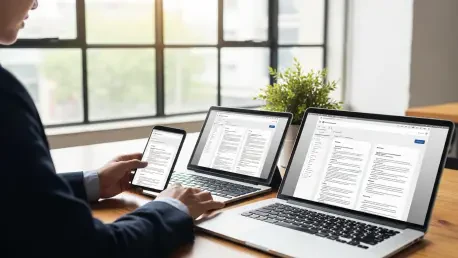
The true strength of the OnlyOffice mobile solution, however, lies in its seamless integration with the cloud, as the mobile apps are not isolated islands of productivity but rather connected endpoints in a synchronized ecosystem. The applications can connect effortlessly to a variety of cloud storage services, including the native DocSpace, as well as popular third-party providers. This ensures that a user’s documents are always up-to-date and accessible, regardless of which device they are using. A user can start writing a report on their desktop computer at the office, continue editing it on their tablet during their commute, and make final revisions on their smartphone just before a meeting. This level of cross-device continuity is the hallmark of a truly modern productivity suite. It provides the flexibility and freedom that contemporary workflows demand, empowering users to be productive whenever and wherever they need to be. By delivering a polished, powerful, and connected mobile experience, OnlyOffice demonstrates a clear understanding of the modern user’s needs, providing a comprehensive solution that spans the entire spectrum of a user’s digital life. This makes it an immeasurably more practical and versatile tool for anyone who operates outside the confines of a traditional desktop environment.
A Pragmatic Path Forward
The analysis revealed a significant divergence in philosophy and functionality; LibreOffice remained a testament to the purest ideals of the open-source movement, offering unparalleled depth, customization, and complete freedom from proprietary control. Its strength was in its comprehensive, offline-first architecture, which catered exceptionally well to power users, developers, and those with a paramount need for data sovereignty. However, this freedom came at the cost of accessibility. Its dated user interface, complex path to collaboration, and anemic mobile presence presented significant hurdles for the average user whose workflow prized convenience and connectivity. The journey highlighted that for a large segment of users, usability had become a more valuable currency than unrestricted complexity. A tool’s ability to seamlessly integrate into a modern, multi-device, and collaborative workflow was no longer a bonus feature but a core requirement. The conclusion reached was not a wholesale rejection of LibreOffice’s value but a recognition that its priorities no longer aligned with the practical demands of many contemporary professionals. OnlyOffice, with its focus on a polished user experience, integrated collaboration, and robust mobile support, provided a more efficient and practical path to productivity, even if it meant accepting a model where some advanced features were part of a commercial offering. It represented a pragmatic choice, one where a superior day-to-day workflow ultimately outweighed ideological purity.