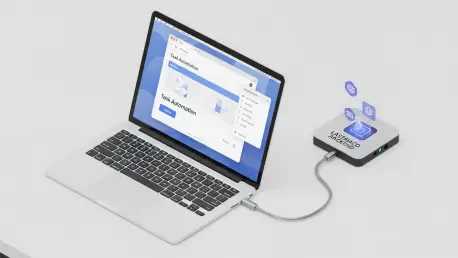

The rapid evolution of browser-based automation has reached a critical milestone as users transition away from rigid, pre-defined scripts toward dynamic agents capable of high-level reasoning. WebBrain stands at the forefront of this shift, providing an open-source solution that integrates directly into browsers like Chrome and Firefox to streamline complex digital tasks. This tool is specifically designed to address the growing demand for privacy and data sovereignty by allowing users to run large language models locally rather than relying on third-party cloud services. By keeping data on the user’s computer, it eliminates many of the security risks typically associated with web automation and artificial intelligence. The ability to extract structured data, automate multi-stage workflows, and interpret page content in real-time represents a significant advancement. This development reflects a broader move toward decentralized intelligence where individuals maintain control over their data.
1. Defining the Core Architecture and Operational Modes
WebBrain functions through a dual-mode system that allows for precise control over how the agent interacts with web content, depending on the specific requirements of the user’s task. The Inquiry Mode serves as a restricted, read-only setting that is ideal for gathering information or summarizing long articles without risk of modifying the page. This mode ensures that the agent purely observes and extracts data, making it a safe choice for research or price comparison tasks where no interaction is required. Conversely, the Action Mode enables the agent to perform active tasks such as clicking buttons, filling out forms, and navigating through multiple pages to complete a sequence of events. By employing specialized protocols, the system ensures that these interactions are viewed as legitimate by the website’s servers. This flexibility allows users to toggle between a passive data-gathering state and an active automation state, providing a tailored experience for diverse needs.
A fundamental aspect of this browser agent’s design is its commitment to maintaining user privacy through the support of local artificial intelligence models. While many alternative tools require a constant connection to centralized servers, WebBrain allows for the integration of local backends, ensuring that sensitive information never leaves the local machine. This is particularly important for professionals who work with confidential data or individuals who are wary of the data-harvesting practices prevalent in the modern web landscape. By utilizing local processing, the agent remains functional even in environments with limited internet connectivity and avoids the recurring subscription fees often associated with cloud-based AI services. The emphasis on open-source development under the MIT license further enhances this trust, as the community can audit the code. This localized approach not only protects data but also provides a faster user experience by reducing the latency inherent in cloud communications.
2. Implementing Safety Standards and Efficient Workflows
To safeguard users from unintended consequences or malicious websites, the tool implements a series of rigorous security protocols that govern every automated action. The agent is programmed to begin every session in read-only mode, which prevents any unauthorized clicks or submissions from occurring before the user has defined the scope of the task. For any action that is considered consequential, such as making a purchase or submitting sensitive data, the system requires explicit user consent before proceeding. This human-in-the-loop requirement ensures that the agent remains an assistant rather than an unguided force. Furthermore, the tool is restricted to interface-based interactions, meaning it must use visible screen elements rather than background code to perform tasks. This transparency allows the user to monitor progress in real-time and intervene if necessary. These layers of protection ensure that the automation remains predictable and secure throughout the entire browsing session.
Operational efficiency is maintained through several strategic methods designed to reduce the computational and financial costs of running high-level AI models. If a user chooses to connect to a cloud provider, WebBrain optimizes visual data by shrinking and compressing screenshots to minimize the number of tokens processed. This significantly lowers the price of visual analysis without compromising the agent’s ability to navigate complex layouts. Additionally, the system employs smart memory management, which involves deleting the oldest parts of a conversation to stay within context window limits. For even greater efficiency, users can pair a basic model for textual planning with a more advanced vision model only when analyzing images is required. These strategies collectively ensure that the system remains cost-effective for long-term use. By prioritizing resource management, the tool allows for extensive sequences that would otherwise be prohibitively expensive or demanding for standard use.
3. Technical Configuration for Local AI Environments
Configuring the agent for local operation involves a step-by-step process that varies slightly depending on the chosen provider, with llama.cpp being a popular choice for high performance. To begin the setup using llama.cpp, the user must first launch the server through their terminal while ensuring that the context window is set to at least 16,000 tokens to handle the density of web pages. It is essential to verify the port during this process, as the server typically communicates through local port 8080 as specified in the startup command. Once the server is running, the extension can be directed to this local address to establish a secure link for data processing. This configuration allows the agent to utilize the full power of the local hardware for reasoning and decision-making, providing a seamless experience without the need for external API keys. This method is highly favored by those who require a dedicated environment for complex research or large-scale data extraction tasks.
Setting up the Ollama provider requires a different set of steps that focus on environment variables and secure cross-origin communication. The user must start by configuring environment variables to set origin permissions, which allows the browser extension to interact safely with the Ollama software. After these permissions are in place, the next step is to initialize the service via the command line to ensure the models are active and ready for inference. Finally, the user needs to update the connection settings in the WebBrain panel by entering the local host address, which generally uses port 11434. This links the extension to the local model library, enabling the agent to execute tasks using the specific AI models the user has downloaded. This structured approach ensures a stable connection between the browser and the local AI backend, allowing for robust automation across various web environments. These technical steps empower users to build a custom AI workspace that is both capable and self-contained.
4. Strategic Performance Benefits and Future Outcomes
WebBrain offers a unique middle ground for browser automation by combining the flexibility of open-source software with a user-friendly interface integrated directly into the browser’s side panel. Unlike many proprietary tools, its MIT license allows for complete transparency and community-driven improvements, ensuring it stays relevant as web standards evolve. The tool’s support for both Chrome’s Manifest V3 and Firefox’s Manifest V2 ensures that it remains accessible to a wide range of users across different platforms. By providing options for both cloud-based and local hosting, it accommodates various preferences for speed and privacy. The integration into the browser’s side UI makes it easy to access during regular browsing, allowing users to toggle automation as needed. This balance of features makes it a versatile choice for everything from simple document summaries to complex multi-stage sequences like navigating GitHub repositories. Its ability to work behind paywalls further expands utility for researchers.
The integration of local AI agents into everyday browsing workflows marked a significant shift in how users interacted with the internet. Individuals who adopted these tools found that they could automate tedious data entry and research tasks while maintaining absolute control over their sensitive information. The move toward local processing provided a resilient solution that mitigated the risks of centralized data breaches and rising API costs. Organizations that implemented these browser agents realized immediate gains in efficiency, as their teams focused on high-level analysis rather than manual data extraction. The success of this decentralized model suggested that the future of the web would be defined by tools that prioritized user agency and privacy. As these technologies matured, they offered a clear path for anyone looking to optimize their digital life without sacrificing security. The transition to local automation proved that intelligence could be managed at the edge, paving the way for private assistants.